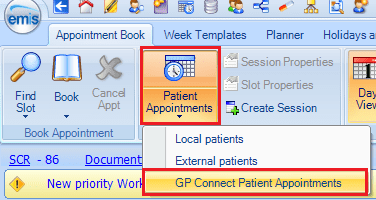
If the patient would like to cancel their appointment – you will need to search ‘Patient Appointments’ manually. In the Appointment Book select Patient Appointments – GP Connect Patient Appointments:
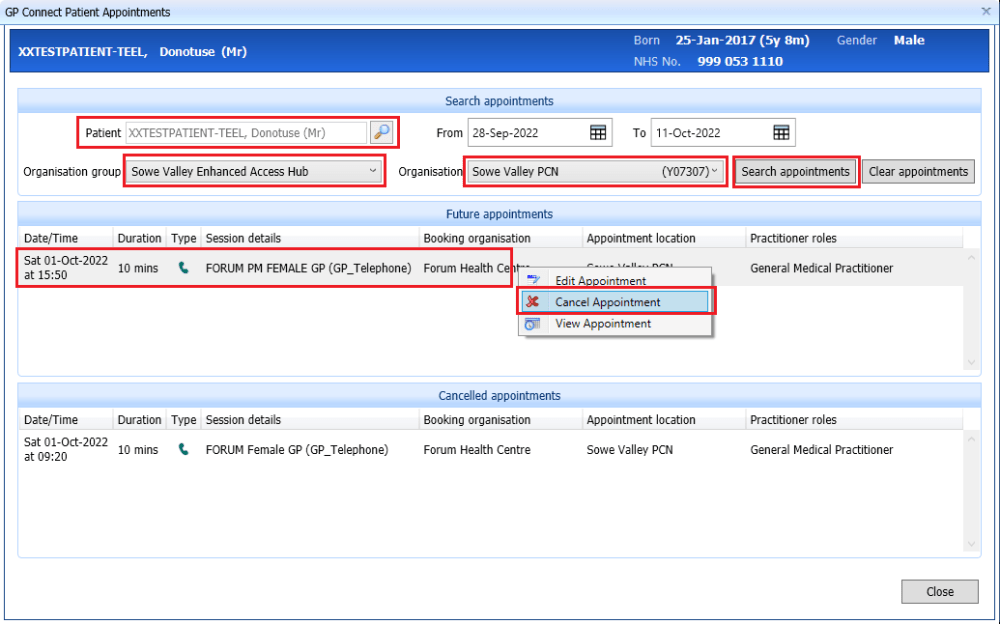
Enter the patient name, select the Organisation group and, if required, the Organisation . Click on Search Appointments. Any Future Appointments will be listed. To Cancel an appointment, right click on the appointment and select Cancel Appointment:
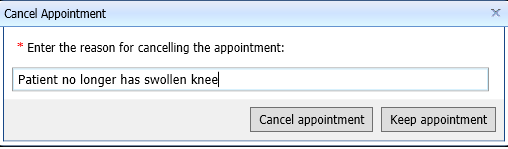
You will be prompted for a reason for the cancellation:
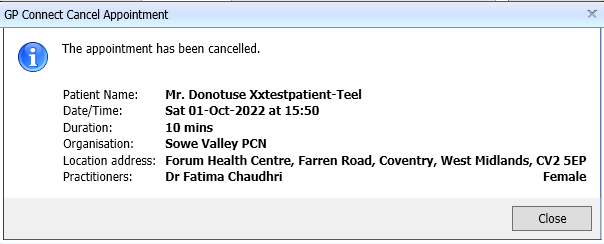
A confirmation of the cancelled appointment will be displayed:
 Digital PCN HUB Optimisation