Checklist
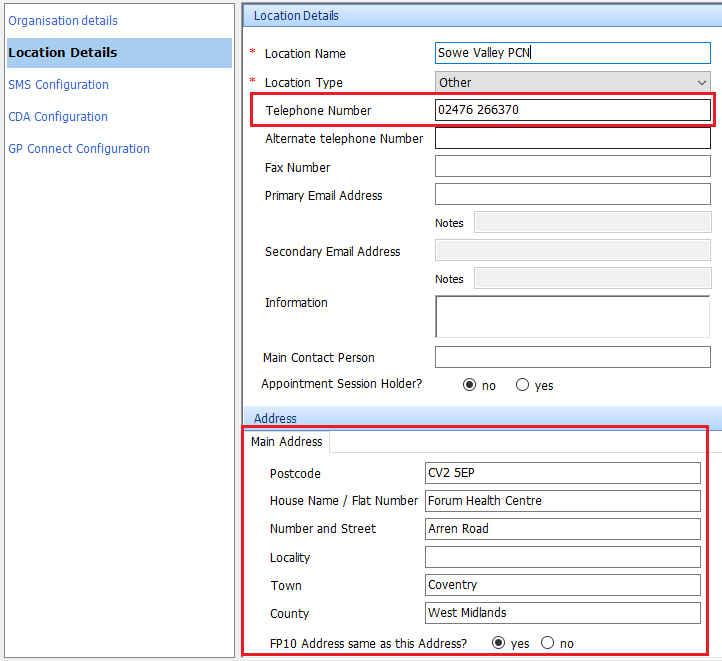
- Organisation FP10 address and telephone number in Organisation details
- Prescribing Cost Centre (Y Code) in National Code Field
- Y Code activated as Endpoint for EPS on NHS Spine (EMIS to do)
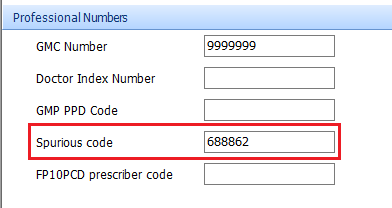
- GMC Number & Spurious Code in EMIS GP Account
- NMC and Prescribing Code for Prescribing Nurse (no Spurious Code required)
- Appropriate Smartcard Role for prescribing clinician
- Patient synchronised with PDS (blue PDS symbol)
EPS in EMIS Clinical Services
Emis will need to include EPS for Clinical Services when they set up the Hub. This can be requested at a later date.
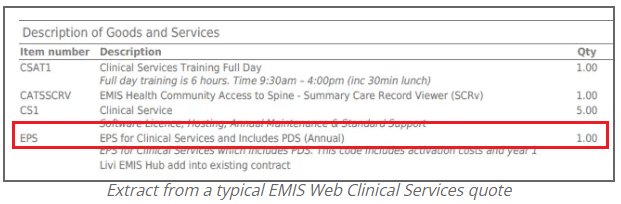
Request organisation Prescribing Cost Centre Code
Organisations will need a Prescribing Cost Centre and a Spurious Code. See here for more detail.
Activate EPS on NHS Spine
Once the Prescribing Cost Centre has been added to the National Code in EMIS Clinical Services ask EMIS to activate the endpoint of the NHS Spine.
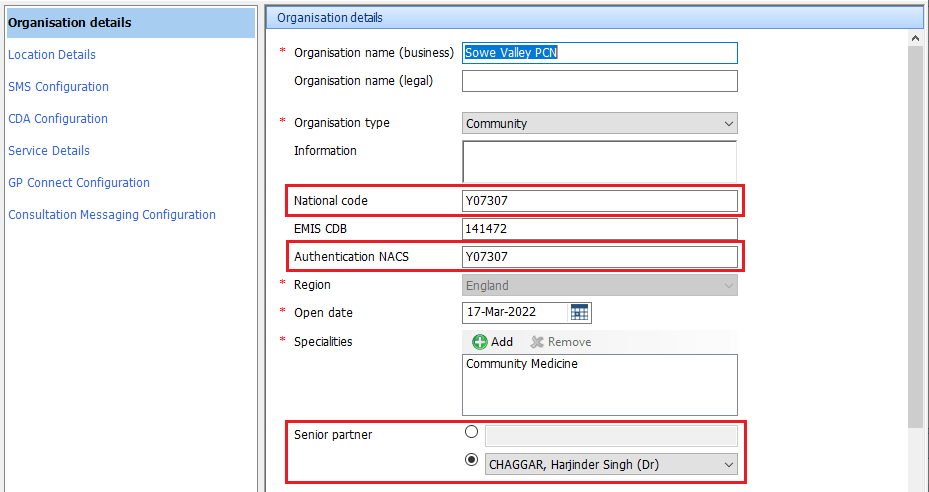
Make sure EMIS Clinical Services has an organisation Telephone number and an FP10 address:
Registration Authority – Create RBAC Positions
Work with Registration Authority to create new Smartcard Role for GPs against the new Y Code Organisation Code based on the National RBAC position below. Ask RA to set up Sponsors for PCN/GP Federation.

Set up Prescribers Accounts
Set up GP accounts in EMIS. For a GP, make sure the Spurious Code is entered in their account details:
General Practitioner
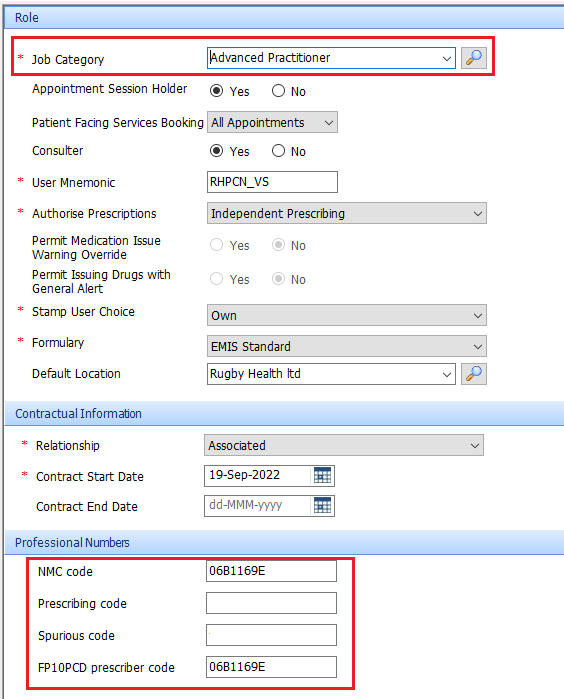
Advanced Nurse Practitioner
If you have Nurse Prescribers within your organisation their user details must be configured with their NMC code they will not need a spurious code.
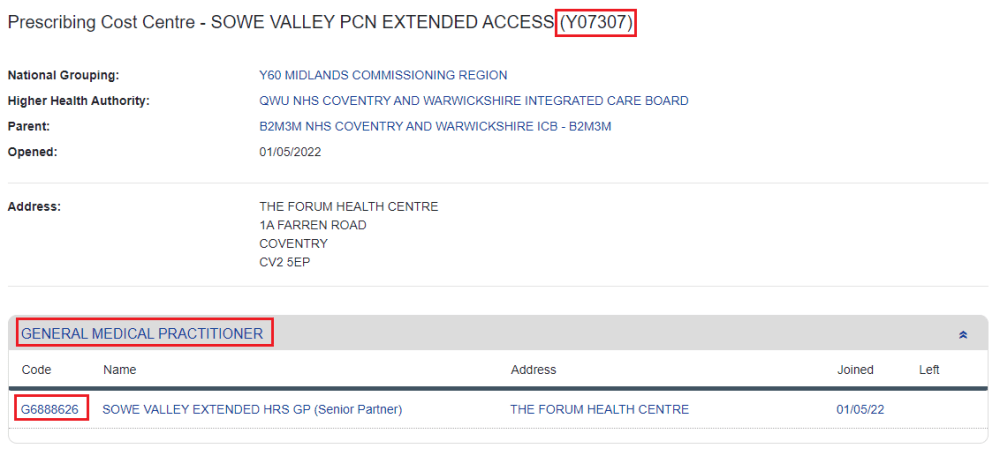
How to find your Spurious Code
To find a Prescribing Cost Centre code and an associated Spurious code visit the ODS Portal. You can search by Name or the Y Code (if trying to find the Spurious Code). By expanding the General Medical Practitioner section you will see the associated Spurious Code (if requested). In the Clinical Systems remove the first letter and last digit – so the Spurious code below is 688862
PDS Synchronised Patient
Before carrying out an EPS, the traced patient must be synchronised with the NHS Spine – make sure there PDS symbol in the Patient Précis bar is blue:

EPS Error – Parent Organisation
If an organisation receives the message – ‘Unable to find parent prescribing organisation NHS organisation ID‘, like this:
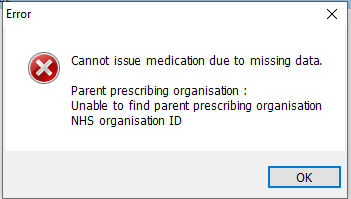
It is because their EMIS Web Org library sits under a parent organisation on the NHS Spine that does not have a code. Organisations will need to email deliveryoperations@emishealth.com and ask them to their EMIS Web Org Library to sit under a Parent Organisation that does have a code.
 Digital PCN HUB Optimisation